
Lirum Device Info 2 app icon.Available on the App Store

Lirum Device Info 2

Complete hardware diagnostics for the Apple ecosystem.

Lirum Device Info 2 combines 20+ built-in tools — live CPU, memory, storage, thermal, and battery monitors, hands-on hardware tests for screen, speaker, microphone, vibration, NFC, and sensors — with a deep Apple device specs database, side-by-side comparisons, and an interactive timeline across iOS and visionOS generations.

Lirum Device Info 2 hero artwork showing the diagnostics interface.

Compatibility

Runs on the devices you already use.

One purchase covers the whole Apple ecosystem. Lirum Device Info 2 runs natively on every platform below.

iPhone

iOS 17.6 or later

iPad

iPadOS 17.6 or later

Mac

macOS 14.6 or later

Apple M1 chip or later

Apple Vision Pro

visionOS 26.0 or later

Apple Watch

watchOS 26.0 or later

Companion app with shared metrics

What Lirum does

Understand the device before you decide what to do next.

Lirum combines hardware details and built-in tests so you can confirm a device's state, narrow down issues, and move faster in support or repair workflows.

Hardware

Verify device identity quickly

Pull the identifiers, chipset details, and hardware tree data you need before you compare specs or start triage.

  • Identify the model before you quote or repair
  • Check chipset and memory context fast
  • Trace internal interfaces and radio data
  • Confirm sensor availability and status
Diagnostics

Run the right checks faster

Use built-in tests to confirm the parts users notice first, from touch input to radios and sensors.

  • Verify touch, speaker, and mic behavior
  • Check biometrics and motion sensors
  • Confirm GPS and connection behavior
  • Watch live hardware activity

Workflows

Support real workflows

Use the same tools for trade-ins, intake, performance triage, and spec comparisons.

  • Speed up trade-in checks
  • Shorten repair intake
  • Support performance triage
  • Compare specs without switching tools

Compare Free and Premium

See the exact Free and Premium coverage.

Use the quick chooser above to pick a direction, then scan this matrix for the exact tool-by-tool breakdown.

Premium app icon selection

FreeNot included
PremiumPlanIncluded

Benchmark Compare Devices dashboard

FreeNot included
PremiumPlanIncluded

Storage Analyzer tool

FreeNot included
PremiumPlanIncluded

Process List tool

FreeNot included
PremiumPlanIncluded

Connection Rate tool

FreeNot included
PremiumPlanIncluded

Hardware Browser tool

FreeNot included
PremiumPlanIncluded

GPS tool

FreeNot included
PremiumPlanIncluded

Microphone tool

FreeNot included
PremiumPlanIncluded

Speaker tool

FreeNot included
PremiumPlanIncluded

Sound System tool

FreeNot included
PremiumPlanIncluded

Manual Test Wizard tool

FreeNot included
PremiumPlanIncluded

Comparison tool

FreeNot included
PremiumPlanIncluded

Report tool

FreeNot included
PremiumPlanIncluded

Home dashboard

FreeIncluded
PremiumPlanIncluded

Tool catalog

FreeIncluded
PremiumPlanIncluded

Device information browser

FreeIncluded
PremiumPlanIncluded

Settings

FreeIncluded
PremiumPlanIncluded

About / documentation / support

FreeIncluded
PremiumPlanIncluded

Tool windows

FreeIncluded
PremiumPlanIncluded

Device status App Shortcuts

FreeIncluded
PremiumPlanIncluded

Widget timestamp setting

FreeIncluded
PremiumPlanIncluded

Alert settings and shared alert surfaces

FreeIncluded
PremiumPlanIncluded

Overview widget

FreeIncluded
PremiumPlanIncluded

CPU widget

FreeIncluded
PremiumPlanIncluded

Network widget

FreeIncluded
PremiumPlanIncluded

Memory widget

FreeIncluded
PremiumPlanIncluded

Storage widget

FreeIncluded
PremiumPlanIncluded

Uptime widget

FreeIncluded
PremiumPlanIncluded

Alerts widget

FreeIncluded
PremiumPlanIncluded

Benchmark tool

FreeIncluded
PremiumPlanIncluded

CPU tool

FreeIncluded
PremiumPlanIncluded

Memory tool

FreeIncluded
PremiumPlanIncluded

Storage tool

FreeIncluded
PremiumPlanIncluded

Battery tool

FreeIncluded
PremiumPlanIncluded

Battery Details import tab

FreeIncluded
PremiumPlanIncluded

Thermals tool

FreeIncluded
PremiumPlanIncluded

Throughput tool

FreeIncluded
PremiumPlanIncluded

Network Interfaces tool

FreeIncluded
PremiumPlanIncluded

Bonjour Scanner

FreeIncluded
PremiumPlanIncluded

Network Scanner

FreeIncluded
PremiumPlanIncluded

Network Ping

FreeIncluded
PremiumPlanIncluded

Network Traceroute

FreeIncluded
PremiumPlanIncluded

WHOIS tool

FreeIncluded
PremiumPlanIncluded

Bluetooth tool

FreeIncluded
PremiumPlanIncluded

Gyroscope tool

FreeIncluded
PremiumPlanIncluded

Accelerometer tool

FreeIncluded
PremiumPlanIncluded

Magnetometer tool

FreeIncluded
PremiumPlanIncluded

Barometer tool

FreeIncluded
PremiumPlanIncluded

Proximity Sensor tool

FreeIncluded
PremiumPlanIncluded

Camera tool

FreeIncluded
PremiumPlanIncluded

AR tool

FreeIncluded
PremiumPlanIncluded

Spatial Shapes

FreeIncluded
PremiumPlanIncluded

Remote tool

FreeIncluded
PremiumPlanIncluded

Remote Motion tool

FreeIncluded
PremiumPlanIncluded

Biometrics tool

FreeIncluded
PremiumPlanIncluded

Touchscreen tool

FreeIncluded
PremiumPlanIncluded

Vibration tool

FreeIncluded
PremiumPlanIncluded

Flashlight tool

FreeIncluded
PremiumPlanIncluded

Colors tool

FreeIncluded
PremiumPlanIncluded

Display Patterns tool

FreeIncluded
PremiumPlanIncluded

Cellular Bands tool

FreeIncluded
PremiumPlanIncluded

Metrics Server tool

FreeIncluded
PremiumPlanIncluded

Metrics Client tool

FreeIncluded
PremiumPlanIncluded

Timeline tool

FreeIncluded
PremiumPlanIncluded

NFC Read tool

FreeIncluded
PremiumPlanIncluded

NFC Write tool

FreeIncluded
PremiumPlanIncluded

Local AI Model tool

FreeIncluded
PremiumPlanIncluded
Premium highlights 13 exclusive tools and workflows.

Preview the workflow

See how quickly you can find the right details.

Preview the dashboard, utilities, and detail views that help with intake, trade-ins, troubleshooting, and reference checks.

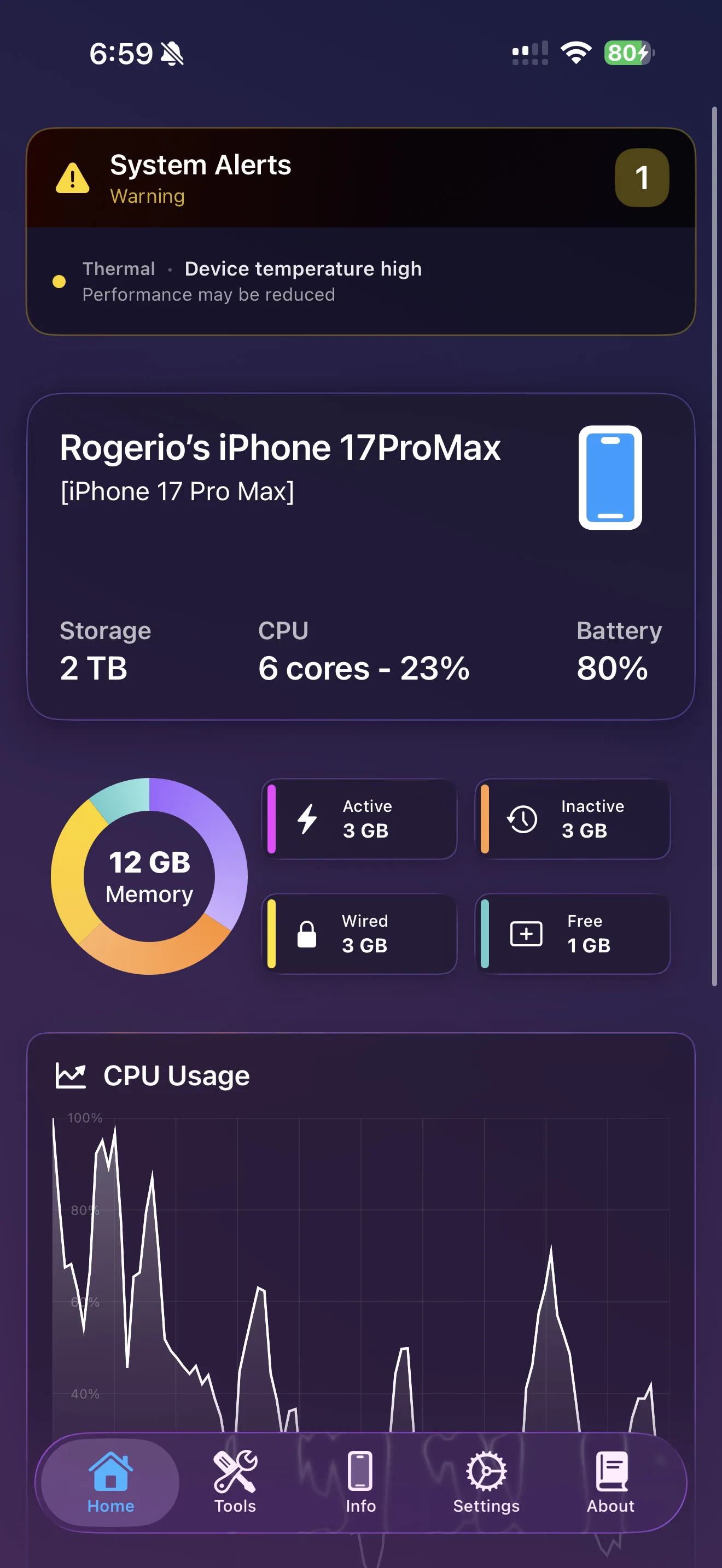
Lirum home dashboard showing device summary, memory, and live CPU usage.
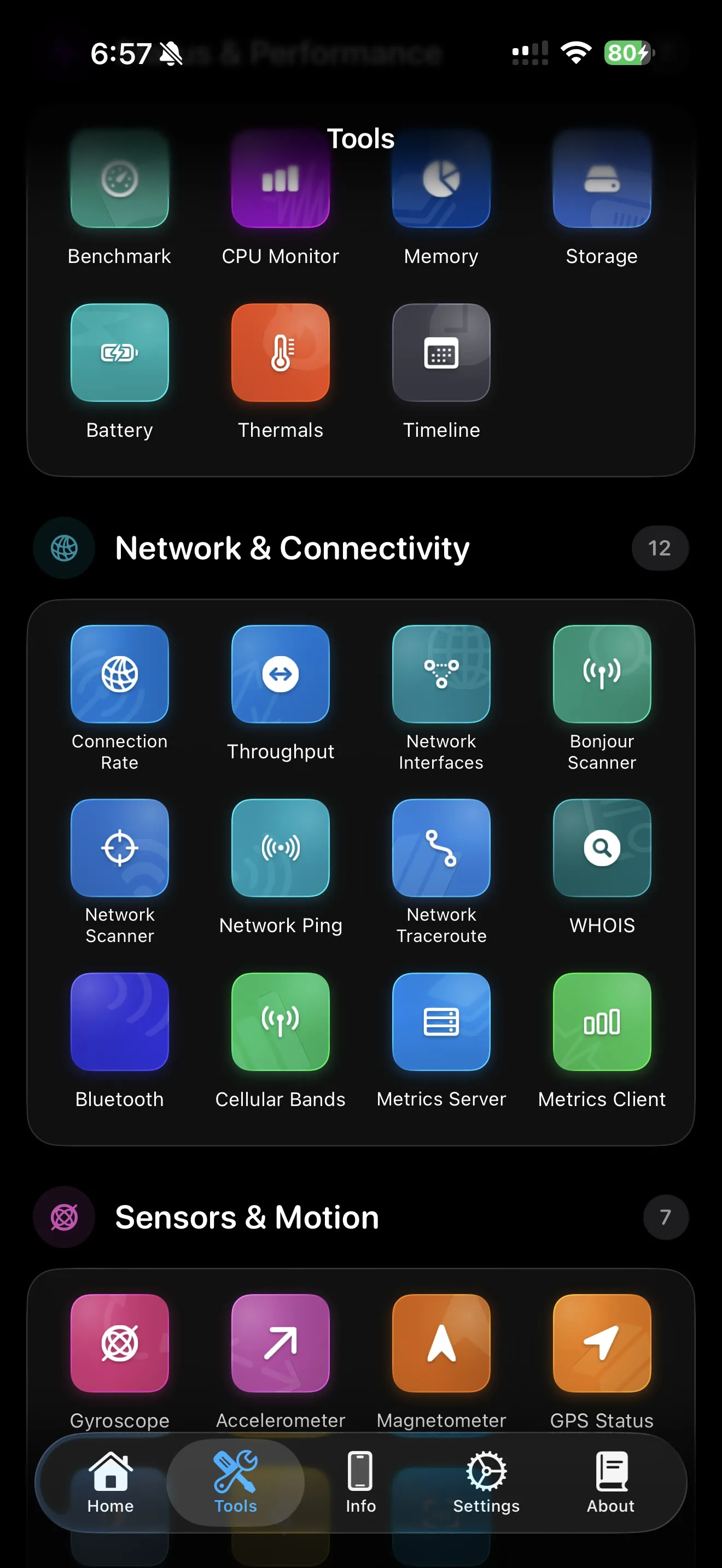
Lirum tool selector showing the diagnostics and utility catalog.
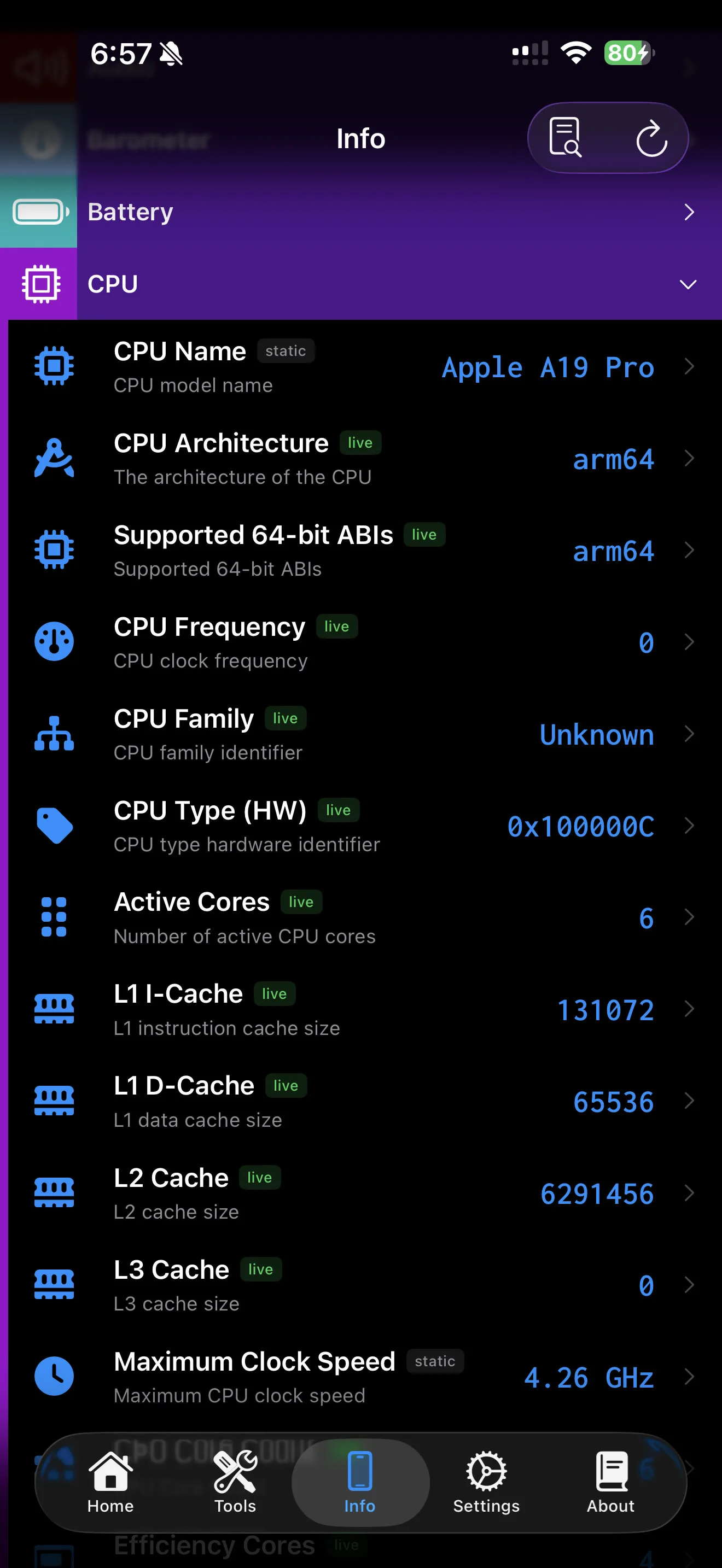
Lirum device information screen showing detailed hardware fields and model data.
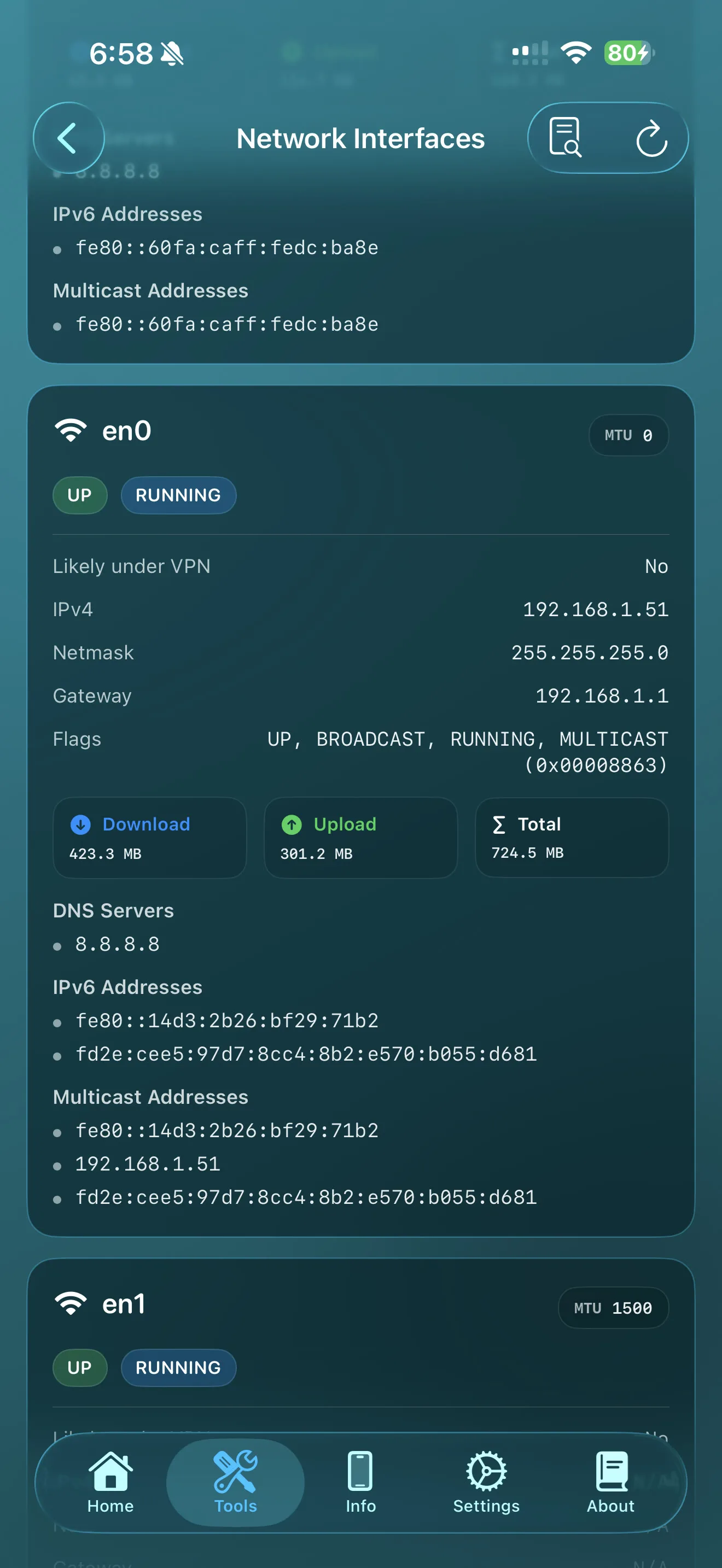
Lirum network tools screen showing interface details and live network data.
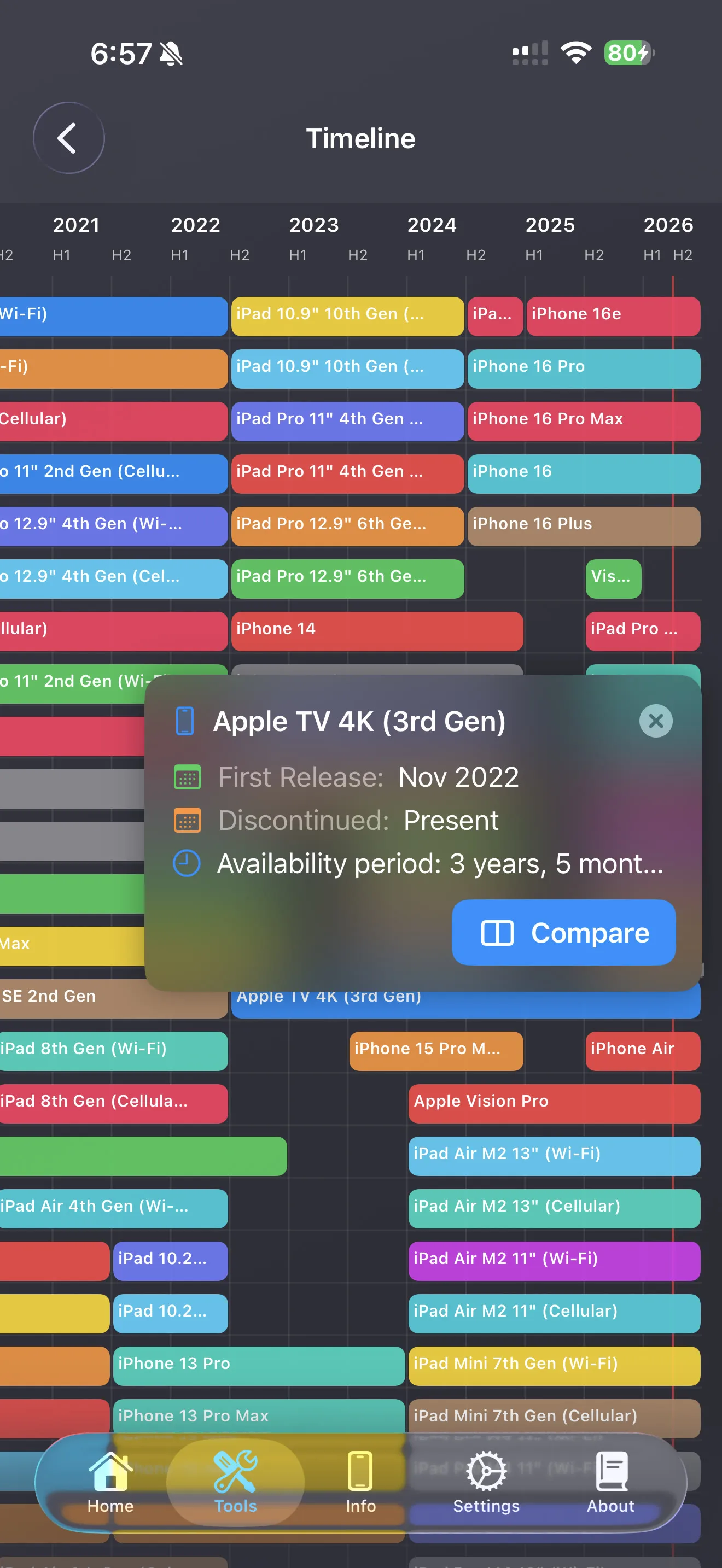
Lirum timeline view comparing Apple device release periods across product lines.

Get started

See what your device can tell you.

Start with Free, then move to Premium when you need more diagnostics, deeper device detail, or a broader set of tools.