

Soft blue light and circuit traces behind the home hero.

Lirum Device Info 2 · Apple hardware diagnostics

Inspect the hardware. Test what matters.

Identify the exact model and chipset. Monitor CPU, memory, storage, thermals, and battery. Run focused checks for touch, audio, radios, and sensors—all from one app.

  • 3.43M downloads
  • Built in Canada since 2011
  • Referenced by Reuters, Wired, Engadget, and MacRumors
3.43M
Downloads
94
Device models
252
Spec fields
23
Diagnostic tools
Model identifiers / SoC mappingCPU topologyMemory and storage profile252 specification fields94 device models23 diagnostic toolsThermal state monitoringUSB interface detailsApple device timelineBaseband and radio inventory

Company & track record

Built in Canada. In the field since 2011.

Lirum Labs has built software for Apple hardware since 2011. Based in Canada, the team focuses on device identification, system monitoring, component tests, and hardware reference tools.

01Founded
2011
02Headquarters
Canada
03Coverage entries
202
04Supported device families
5
  1. 2011

    First release of Lirum Device Info

  2. 2018

    Interviewed by Reuters on Apple hardware

  3. Today

    3.43M downloads across the App Store

Identification & inventory

Start with the exact hardware configuration.

Resolve model identifiers, regional variants, product codes, chipset and memory context, internal interfaces, radios, and sensor availability before you diagnose or compare.

Monitoring & component tests

Watch the system live. Test components directly.

Monitor CPU, memory, storage, thermals, battery, and network activity. Then run focused checks for touch, audio, radios, cameras, biometrics, and sensors.

  • 01Track CPU, memory, storage, thermals, and battery
  • 02Inspect network interfaces, radios, and throughput
  • 03Test touch, display, audio, vibration, and cameras
  • 04Check GPS, NFC, biometrics, and motion sensors
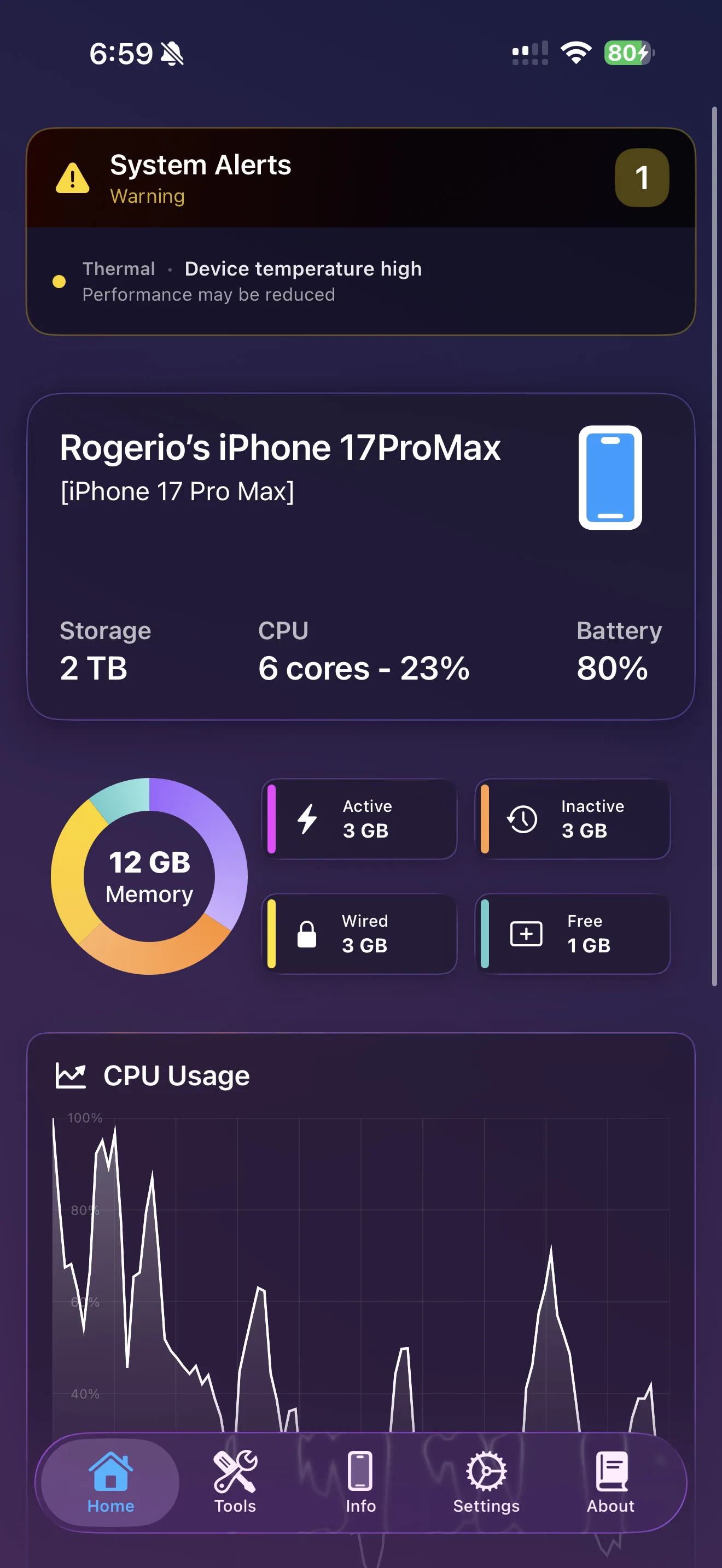
Two iPhones showing the Lirum tool catalog and CPU, memory, storage, and battery monitor screens.
  • CPU load23%
  • Memory used61%
  • Storage free412 GB
  • Battery80% · charging
  • Thermal stateNominal

Live monitors and focused tests

Start with system activity, then isolate the interface, sensor, or component behind the symptom.

CPUMemory
60 s window
Interface preview · illustrative CPU and memory data

Inside Lirum

From device summary to low-level detail.

Preview the five views shown here: dashboard, tool catalog, device information, network tools, and the Apple hardware timeline.

Free or Premium

Free for inspection and monitoring. Premium for comparison, guided tests, and reports.

Free includes the core device-information, monitoring, network, sensor, and component-test tools. Premium adds 13 tools and workflows for hardware analysis, comparison, guided testing, and reporting.

Free

Free

For inspection, monitoring, and everyday checks.

Use Lirum Free for device information, live system monitors, network utilities, sensor checks, and hands-on component tests.

  • 01Device information, CPU, memory, storage, battery, and thermal tools
  • 02Network, radio, sensor, biometric, display, and camera checks
  • 03Apple hardware timeline and on-device reference tools

Premium

Premium

For comparison, guided testing, and reports.

Add the workflows that matter on a repair bench or during repeat intake: deeper hardware browsing, side-by-side comparison, guided tests, and reporting.

  • 01Hardware Browser and Connection Rate
  • 02Device and benchmark comparisons
  • 03Manual Test Wizard and Report tools

Start with Free. Move to Premium when comparison, repeatable test sequences, or reporting becomes part of the job.

Independent coverage

Referenced in Apple hardware coverage worldwide.

Reuters interviewed Lirum in 2018. Wired, Engadget, MacRumors, The Guardian, and others have cited the app in reporting on Apple hardware and component differences.

Reuters
Engadget
Cult of Mac
The Guardian
The Telegraph
Wired
9to5Mac
BGR
PhoneArena
MacRumors
Gizmodo
News.com.au
  1. 2018ReutersReuters interviewed Lirum during coverage of Apple's battery-health controversy and the scrutiny around how much device information users were allowed to see.
  2. 2015The GuardianThe Guardian referenced Lirum as the practical tool readers could use to identify which A9 supplier powered their iPhone 6s.
  3. 2015WiredWired referenced Lirum Device Info as the way to identify the CPU manufacturer at the center of the 6s battery-life coverage.
  4. 2015The TelegraphThe Telegraph included Lirum Device Info in its reporting on how battery life could vary depending on the A9 supplier.

Get Lirum Device Info 2

Put the device data in front of you.

Download Lirum Free for hardware identification, live monitoring, and built-in checks. Upgrade when you need Hardware Browser, comparisons, guided tests, or reports.

Latest updates

Updates from Lirum.

Release notes, product updates, and company posts in one place.

View news archive

September 17, 2018

iOS 12

Hello! So, we are at this time of the year. Another iOS version, another feature blocked. This time, [...]